Private modular infrastructure for AEC production

F.O.R.G.E.

ForceWorks Operational Rendering & Graphics Environment
a Digital Foundry
infrastructure layer for BIM, visualization, AI assisted workflows and centralized workstation delivery. It gives studios and project teams a complete production system without requiring them to design, buy, configure and maintain that infrastructure alone.

The Execution Gap

The Problem

Modern AEC workflows have outpaced standard workstation setups. BIM, Unreal Engine, AI assisted design and real time client review now demand more compute, cleaner storage logic and lower latency than most studios can maintain internally.

Operational Pain

  • Aging or mismatched hardware across users and project teams.
  • Fragmented project storage and slow shared model handling.
  • Studio heat and acoustic noise from local workstations.
  • Unpredictable infrastructure cost and constant IT distraction.

FORGE BOX Architecture

FORGE Architecture

Our flagship infrastructure F.O.R.G.E., ForceWorks Operational Rendering and Graphics Environment, is a modular Digital Foundry for AEC production, combining workstation compute, private storage and low latency access.

Scaling Logic

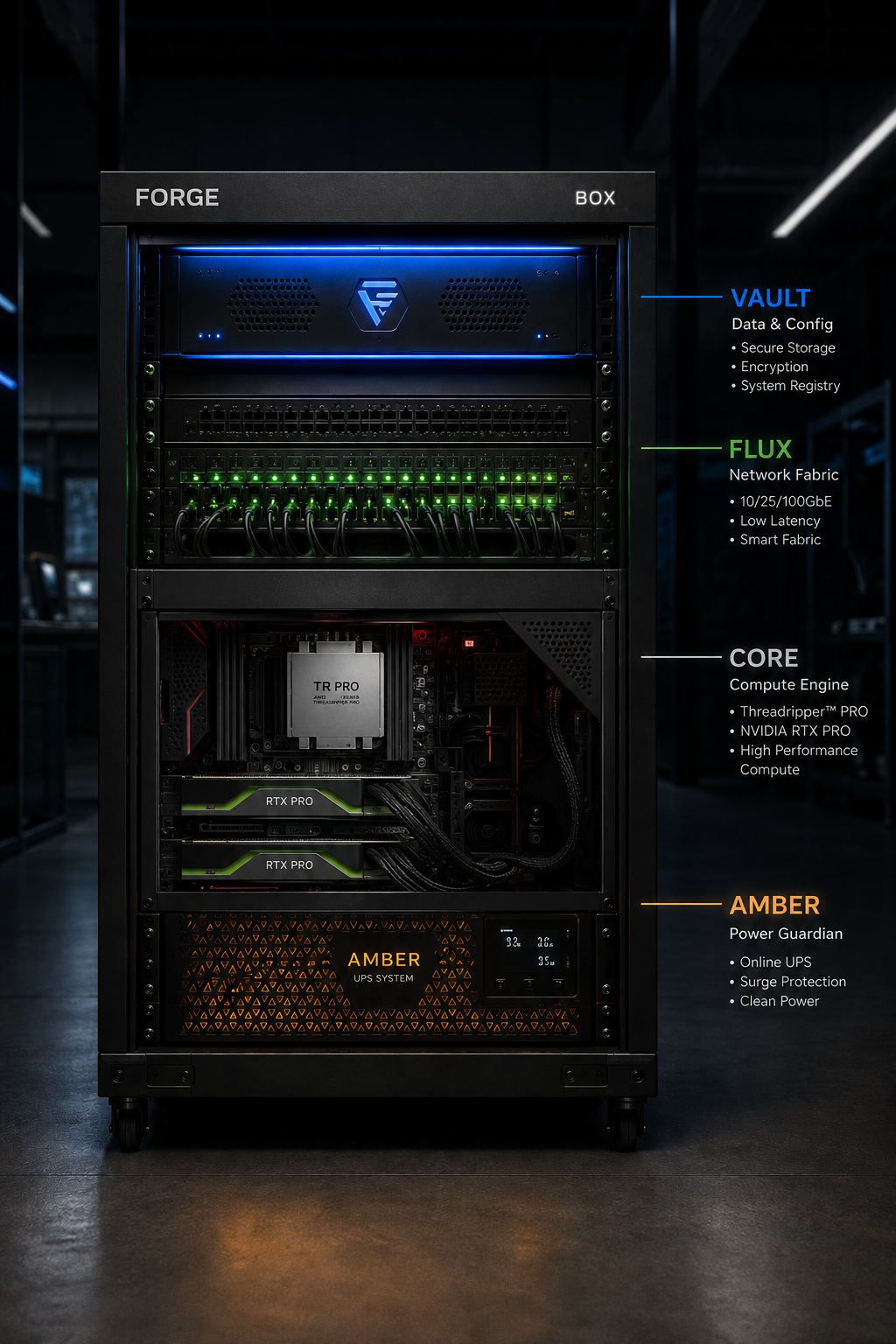
  • BOX: one complete infrastructure unit for a focused studio or team.
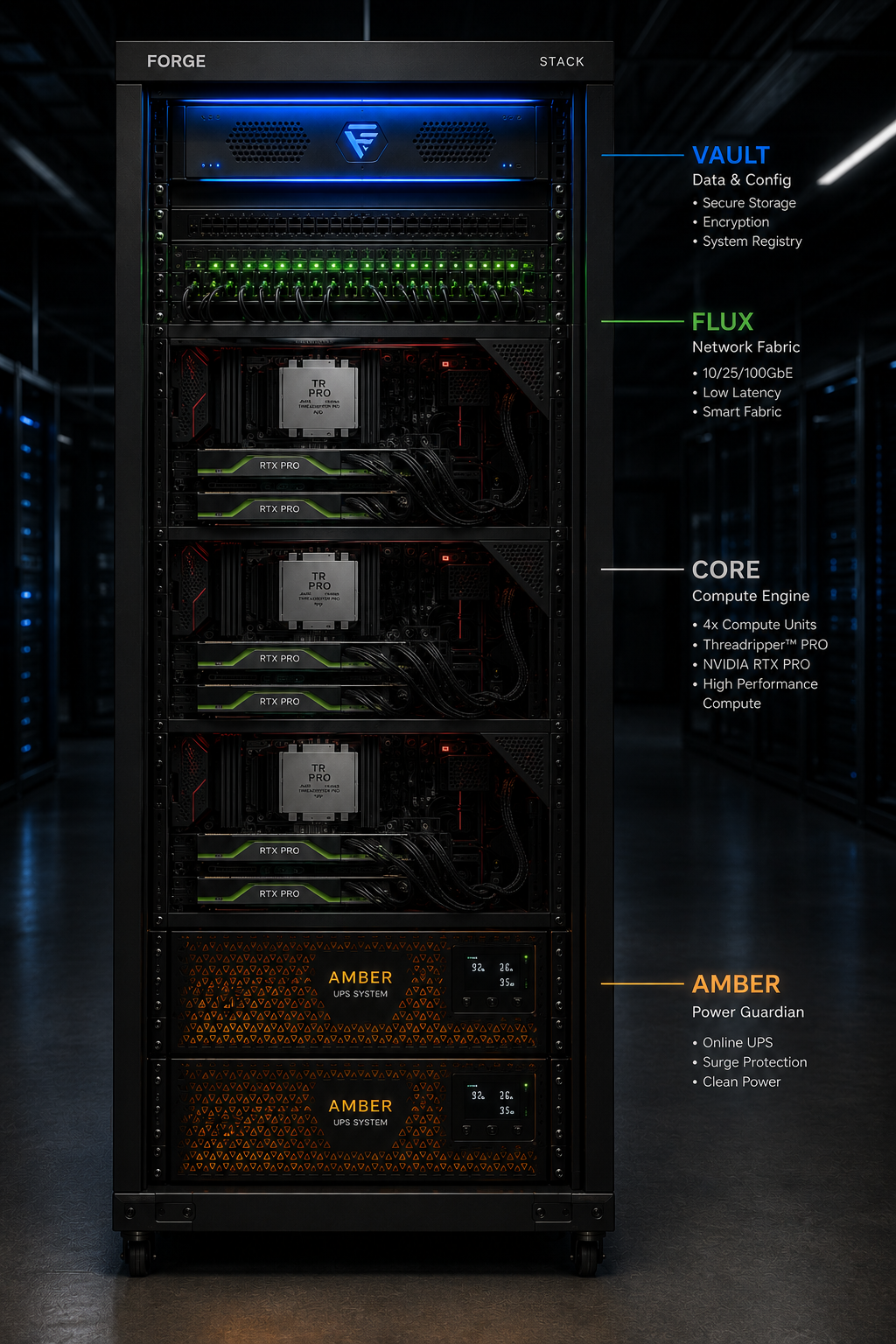
  • STACK: multiple BOX systems sharing VAULT and FLUX.
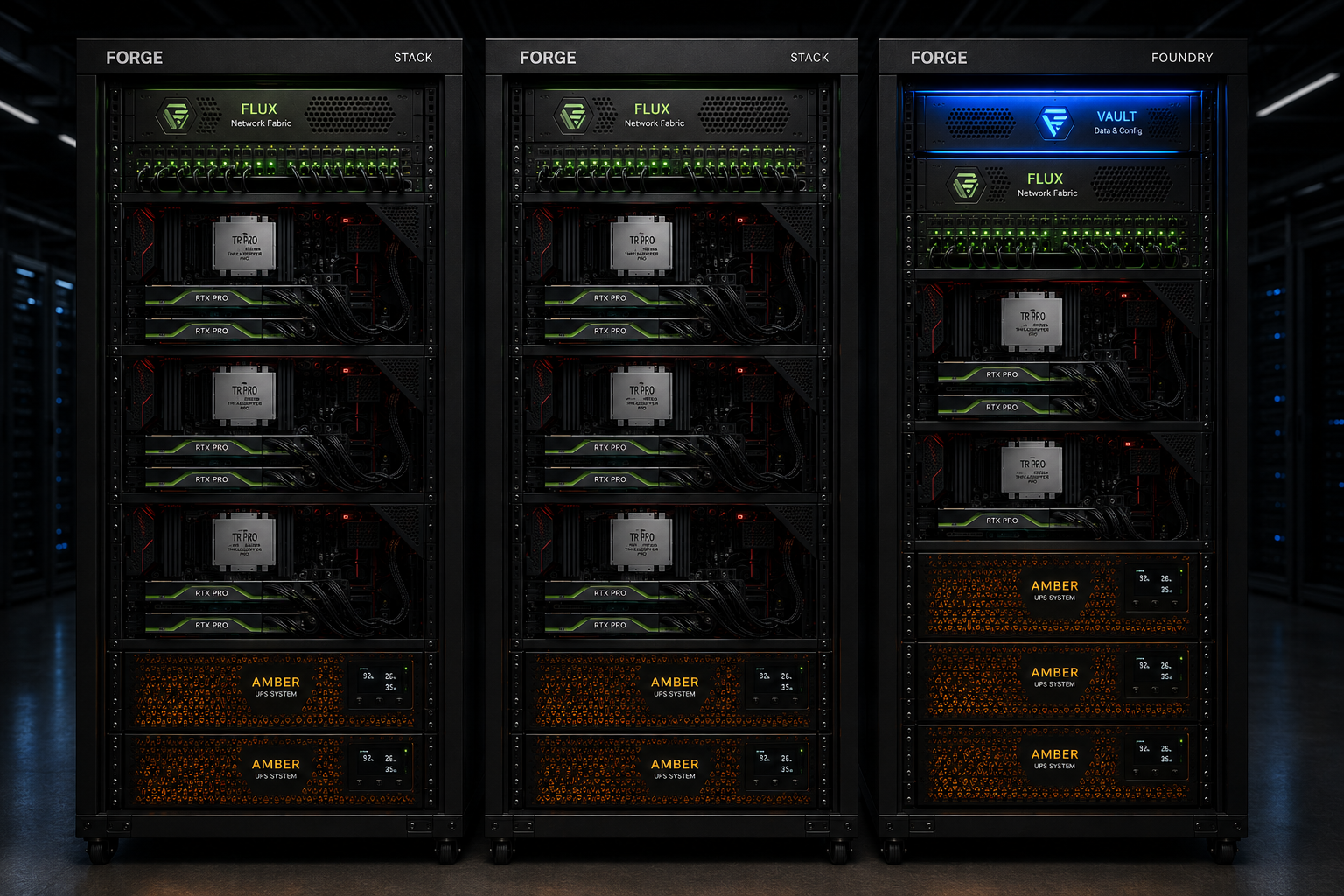
  • FOUNDRY: larger institutional deployment with centralized storage and network layers.
CORECPU / RAM / GPU compute block
VAULTStorage, project data, backup, snapshots
FLUXNetwork, remote display, routing, access
AMBERPower, UPS, PDU, cooling, resilience
SPARKUser endpoint, thin client, peripherals

BOX, STACK and FOUNDRY

Level Infrastructure logic Scaling rule
BOX One complete FORGE system with CORE, VAULT, FLUX, AMBER and SPARK endpoints. Standalone deployment for a dedicated team or pilot client.
STACK Two or more BOX systems with shared VAULT and FLUX layers. CORE and AMBER scale per BOX. SPARK scales per user.
FOUNDRY Enterprise or institutional infrastructure with centralized VAULT and FLUX backbone. Multiple compute blocks, rack zone resilience and managed endpoint expansion.

FORGE Studio 6

Studio 6 Base

The same Studio 6 BOX platform with a balanced GPU profile for six BIM workstations. Designed for Revit, AutoCAD, BIM production, documentation, coordination and lighter real time presentation.

Studio 6 Advanced

The same Studio 6 BOX platform with a stronger GPU profile, including a lead visualization and render seat. Designed for BIM production plus stronger Enscape, review, visualization and presentation capacity.

Base and Advanced are not two different machines. They are the same FORGE Studio 6 platform with different GPU profiles. Lower cost custom versions can be defined separately by reducing or changing parts of the platform.

Why FORGE

Production Advantage

  • Studio environment: centralized hardware removes heat and acoustic noise from the work area.
  • Interactive work: optimized for live BIM, Revit, Unreal, Enscape and design review sessions.
  • Modular upgrade path: GPU, storage, access and endpoint layers can evolve without replacing the whole system.

Business Advantage

  • Private data control: dedicated infrastructure supports project data sovereignty and IP protection.
  • Cost control: rental or staged investment reduces fragmented workstation purchases.
  • Operational continuity: a managed infrastructure layer keeps teams focused on production instead of hardware.

Reliable infrastructure for project delivery

FORGE helps architecture and design offices work on adequate hardware without becoming hardware integrators themselves. ForceWorks plans, configures, deploys and maintains the system, while the studio keeps focus on project delivery.

FORGE system, presentation set

01 / Single Rack

FORGE CORE

The smallest complete Digital Foundry configuration. CORE presents the full top to bottom infrastructure logic with VAULT, FLUX, compute and AMBER in one compact rack.

  • VAULT storage and configuration at the top.
  • FLUX network fabric below it.
  • CORE compute layer with RTX oriented workload logic.
  • AMBER UPS power protection at the base.
FORGE CORE FORGE CORE rack visualization

02 / Compute Block

FORGE BOX

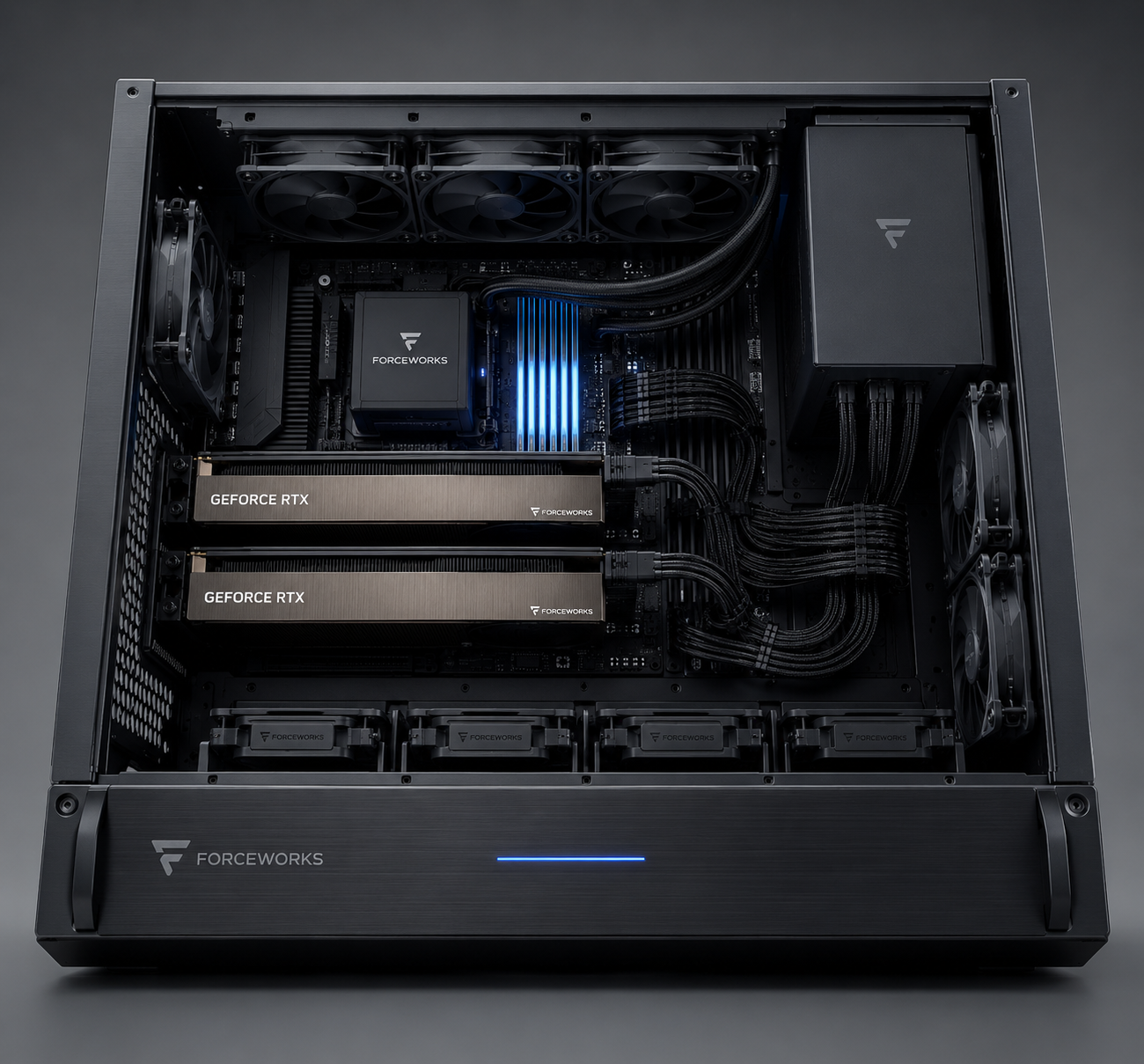
The foundational compute machine inside the ecosystem. BOX is the working engine behind the rack architecture, designed for heavy AEC visualization, AI and real time workloads.

  • Threadripper Pro class CPU platform.
  • RTX Pro GPU layout for visualization and acceleration.
  • Controlled airflow, clean cable routing and black metal hardware language.
FORGE BOX FORGE BOX compute unit visualization

03 / Medium Scale

FORGE STACK

STACK scales the same system logic into a full rack configuration for a serious studio or department. It repeats the compute block and adds stronger shared infrastructure.

  • Four CORE compute units in one rack.
  • VAULT and FLUX remain at the top of the system.
  • Two AMBER UPS modules support the full stack.
FORGE STACK FORGE STACK rack visualization

04 / Enterprise Cluster

FORGE FOUNDRY

FOUNDRY is the enterprise configuration. It shows three connected racks as a managed cluster for larger companies, institutions or multi team production environments.

  • Two STACK racks for production capacity.
  • One management rack with VAULT, FLUX and additional AMBER support.
  • Data center grade visual language for evaluators and partners.
FORGE FOUNDRY FORGE FOUNDRY enterprise cluster visualization

05 / Client Gateway

FORGE SPARK

SPARK is the client side of the system. It keeps the architecture studio light, silent and inexpensive while users access virtual workstations running inside CORE, STACK or FOUNDRY.

  • Small miniPC endpoints instead of heavy towers.
  • Dual monitor AEC workflow with Revit and visualization screens.
  • Cleaner studio environment with compute moved into managed infrastructure.
FORGE SPARK FORGE SPARK client gateway studio visualization